
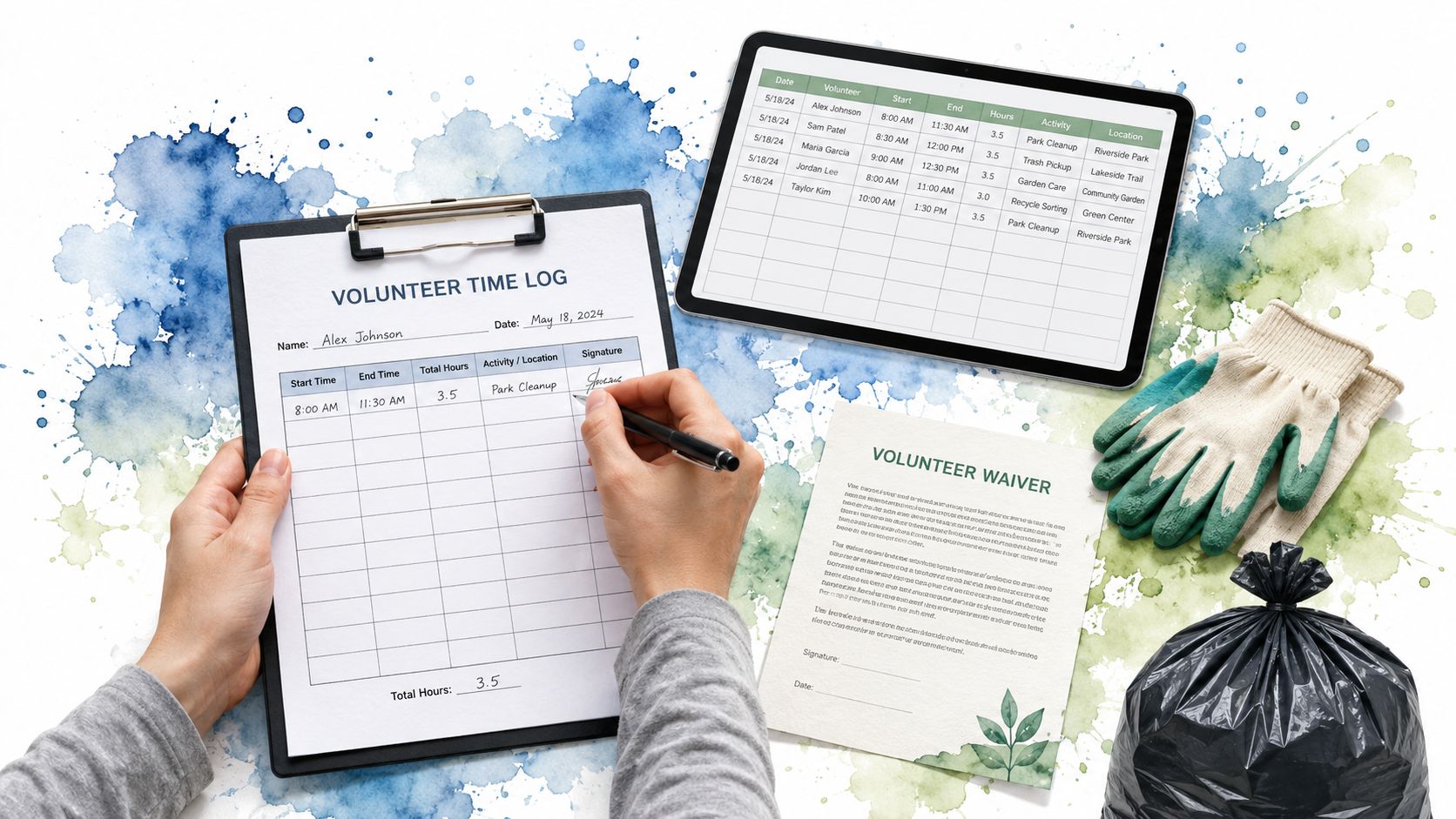
Three of us were picking up litter when a spring hailstorm turned into a Chicago blizzard. We huddled under a tree, shivering, while every Uber canceled, but I still wrote down who came, what we did, and how long we stayed.
That habit has followed me through years of rain, heat, frozen sidewalks, highway cleanups, and muddy vacant lots. Community service documentation doesn't need to bury volunteers in paperwork. It needs to preserve the few facts that let another person trust the work.
Why Your Volunteer Hours Need Real Proof
That first Litter Caterpillars cleanup looked chaotic from the outside. Three volunteers stood beneath one tree, coats soaked, gloves stiff, trash bags snapping in the wind. A photo could show the storm and the bags, but it couldn't prove each person's service time, identify the supervising organization, or answer a registrar's question months later.
The weather taught me something simple. Effort disappears quickly unless someone records it while the details are fresh. A volunteer may remember the cold, the broken glass, and the overflowing bin, yet a school office or probation officer needs a clear record tied to dates, hours, an organization, and a responsible contact.
Students often need records for school credit, and each school may ask for its own format. Someone completing court-ordered service faces a different review. A court may need specific dates, total hours, and a legitimate organization that can confirm the work. A volunteer building a résumé may want a supervisor who can verify duties and skills. A nonprofit may need clean participation data for grant reporting.
You can find ideas for student service projects through community service opportunities for students, but the opportunity itself doesn't complete the record. Your documentation does.

What proof needs to accomplish
A selfie with a trash bag can support a story. It rarely carries the whole burden of verification. A reviewer needs enough information to connect one volunteer, one organization, one period of service, and one approving supervisor.
A documented volunteer record may include the service date, hours spent, beneficiary organization details, a contact person's information, and a signature. One volunteer verification program also requires organization-verified records and asks volunteers to reconstruct daily time if an organization gives only one summary letter, because the system relies on day-based entries. (Volunteer Scholars explains its verification requirements)
That level of detail protects everyone. You won't have to rely on memory, a vanished event page, or a supervisor who no longer remembers the shift. The organization can answer questions without searching through scattered messages.
Practical rule: Record the work before the weather, fatigue, and ordinary life wash away the details.
The Documents You Actually Need to Collect
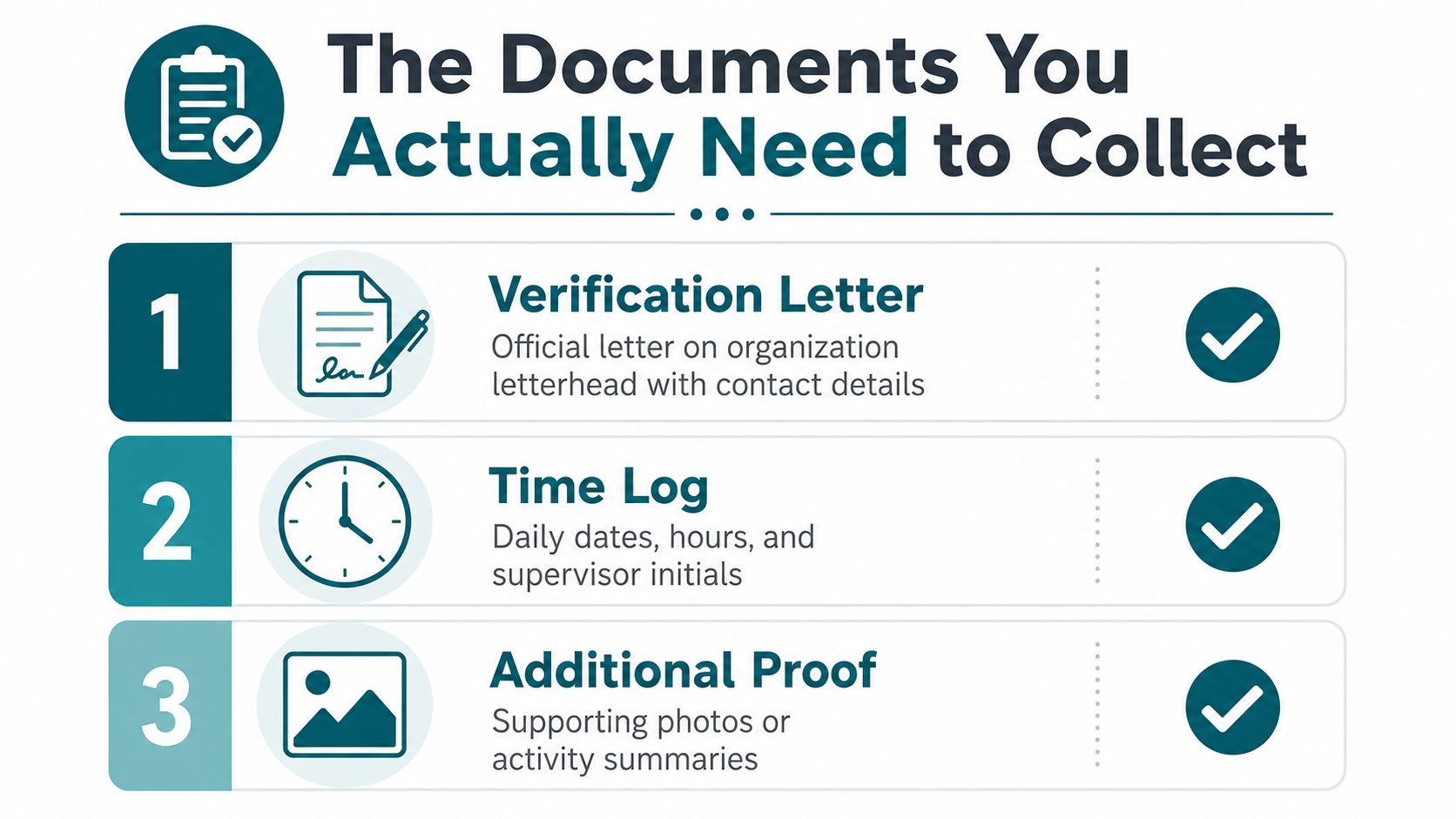
Before your first shift, ask the organization what your school, court, employer, or program will accept. Then build a small packet around the records that prove identity, service, time, and approval.
Start with the verification record
A community service verification form usually contains four blocks:
- Volunteer details: Name and contact information.
- Organization details: Organization name and address.
- Service details: Dates and hours worked.
- Supervisor approval: Signature, title, and contact information.
That structure works like a receipt. It ties a person, a place, a time period, and an approving adult together. A community service verification form guide shows this four-part pattern clearly.
Write dates in full, with the month, day, and year. If you volunteered on March 9, 2026, write “March 9, 2026,” rather than relying on a short form that could confuse someone reading it in another format.
Use plain language in a letter:
“This letter confirms that [full name] volunteered with [organization] on [full dates] and completed [total hours] of service. Please contact [supervisor name, title, phone number, and email] to verify this record.”
A letter should use the organization's letterhead when available. A signature helps, but a signature without a contact path leaves the reviewer with nowhere to go.
Keep the daily log too
Your log should record:
- Date
- Start time
- End time
- Task description
- Total hours
- Supervisor initials or signature
One volunteer verification format lists start time, end time, task description, and total hours directly, which lets a reviewer check both the length of a shift and the work performed. (See this activity-log format)
Some organizations require one form per project or per agency. Follow that rule, and don't resubmit hours you've already turned in. A university volunteer form gives both instructions, including the need to write all dates and have a supervisor sign the forms. (Review this university verification form)
A waiver, safety acknowledgment, application, or screening form belongs in the packet when the role requires it. A basic sign-in sheet can record attendance, but it can't replace a signed verification record when an outside reviewer needs formal proof. For practical guidance about cleanup reporting and neighborhood conditions, use guidance on reporting illegal dumping.
The video below gives another visual way to think about organizing service records.
Building a Time Log That Survives Scrutiny
A time log earns trust through small details. When I finish a cleanup, I don't write “park work” and hope I remember the rest. I write the location, the task, the start and end times, and the person who can confirm it.
Use Google Sheets, Airtable, or a note on your phone. The tool matters less than the timing. Enter the shift before you leave the site, then ask the supervisor to review or initial it while everyone still remembers what happened.
| Field | What It Proves | Common Mistake |
|---|---|---|
| Date | When the service happened | Entering only the month |
| Start time | When the shift began | Rounding from memory later |
| End time | When the shift ended | Forgetting breaks or early departures |
| Task description | What you actually did | Writing “volunteered” with no detail |
| Total hours | The amount of service claimed | Adding hours incorrectly |
| Supervisor initials or signature | Who approved the entry | Waiting until the end of the season |
Log continuously, not retrospectively
Reconstructing a season at year-end invites errors. You may remember the big cleanup while forgetting a short shift, confuse two locations, or claim time that another form already includes. A running spreadsheet creates a dated trail and makes the final summary much easier to prepare.
Create one row per shift. Keep the original entries, and add a correction note instead of deleting information. Store a PDF copy after a supervisor reviews the log, so a later spreadsheet edit doesn't erase the version someone approved.
Organizations can also use scheduling tools to connect attendance with service records. Free volunteer scheduling software from Litter Caterpillars can fit a small group that needs a simple way to coordinate shifts and track participation.
For teams with more formal controls, document compliance tracking provides useful ideas about ownership, status, and retrieval. You don't need a complicated system for a neighborhood cleanup, but you do need a clear answer to three questions: Who entered this record? Who approved it? Where can we find it?
How Schools Courts and Nonprofits Read Your Records
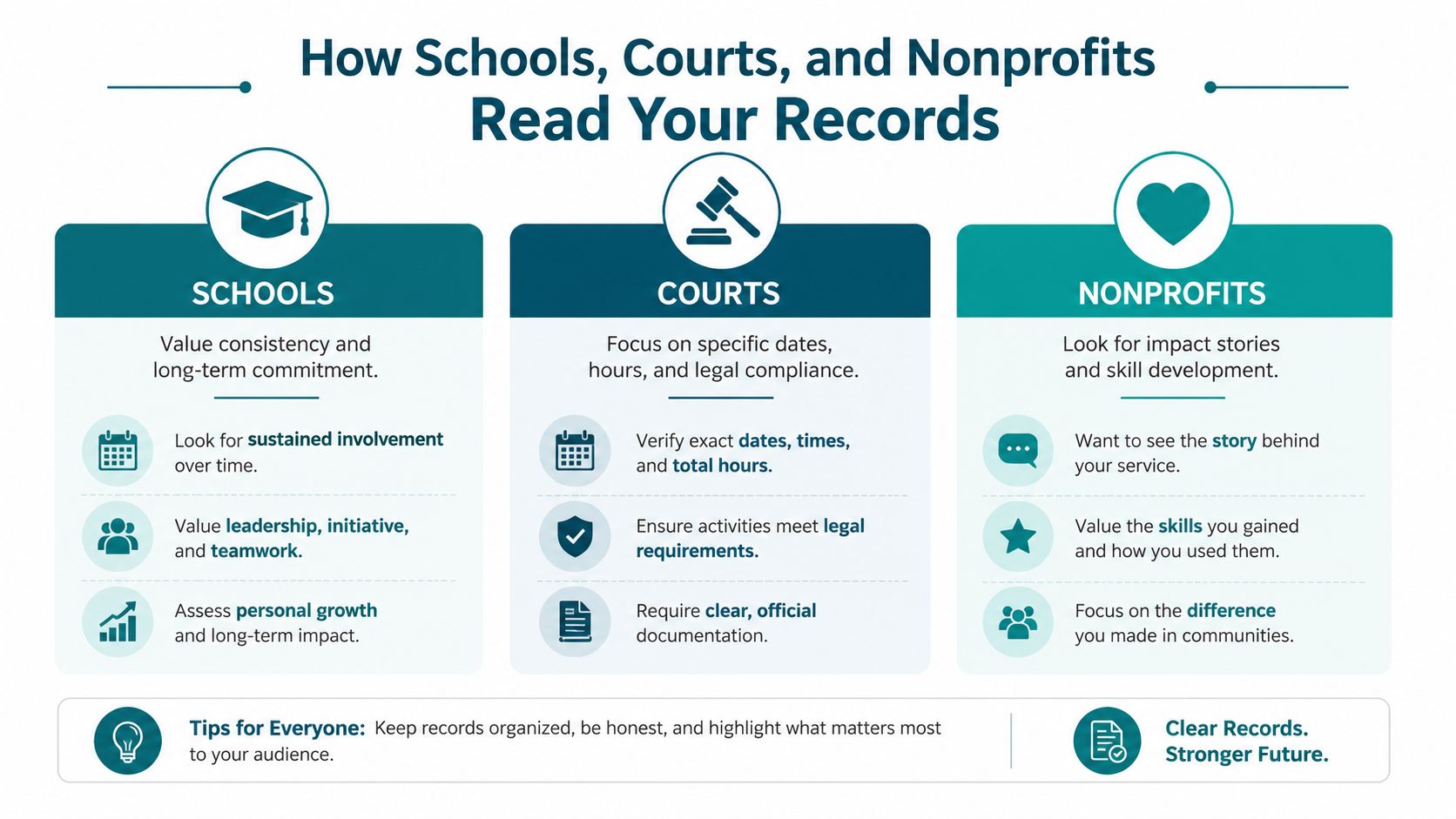
The same folder can support different reviewers, but each reviewer reads it for a different reason. A school usually wants a record that matches its credit rules. A court needs a defensible account of required service. A nonprofit needs information it can combine with other volunteer activity.
Schools look for consistency
A school reviewer may compare your form with an internal deadline, required fields, or a specific approval process. Give the office the format it asks for, even if your own spreadsheet contains more detail. Keep the spreadsheet as your backup, then submit the signed form and supporting letter through the approved channel.
A student who volunteers with several organizations should keep each agency separate. Combining every shift into one vague total makes it harder for a school to verify who supervised each activity.
Courts focus on proof and compliance
Court-related service needs clean dates, hours, organization information, and supervisor approval. Avoid estimates. If a shift ran from 9:00 a.m. to noon, record those times and the actual task. If the court or supervising agency provides a required form, use that form rather than substituting a personal spreadsheet.
The organization must remain reachable. Keep the supervisor's title, phone number, and email with the record, and ask what happens if the supervisor changes before your final submission.
Nonprofits need usable summaries
A nonprofit may care about the work behind the number. A description like “removed litter from a creek path and sorted collected material” gives a grant writer more to use than “cleanup.” Add project names, locations, participant names or counts when the organization requires them, and notes about completed tasks.
A single end-of-term letter doesn't remove your responsibility to track each day. One verification program explicitly requires daily reconstruction when the organization supplies only a summary letter. Keep your own log, then use the letter as the organization-level confirmation. (Read the documented daily-log requirement)
Schools ask, “Does this meet our format?” Courts ask, “Can someone verify every claimed shift?” Nonprofits ask, “What did the group accomplish?”
If your service crosses state lines, keep the same record fields and store the organization details for each location. Requirements may differ, so ask the receiving school, court, or program before you start.
Storing and Reporting Your Documentation Safely
A muddy paper form can disappear in a backpack. A phone can break. A volunteer coordinator can leave. I use a workflow that assumes ordinary problems will happen, because they always do.
Federal volunteer recordkeeping guidance instructs agencies to keep volunteer files for three years after closure and lists records such as the volunteer agreement, application, reference or background checks, training records, timesheets, and an accomplishment report. (U.S. Forest Service volunteer recordkeeping guidance)
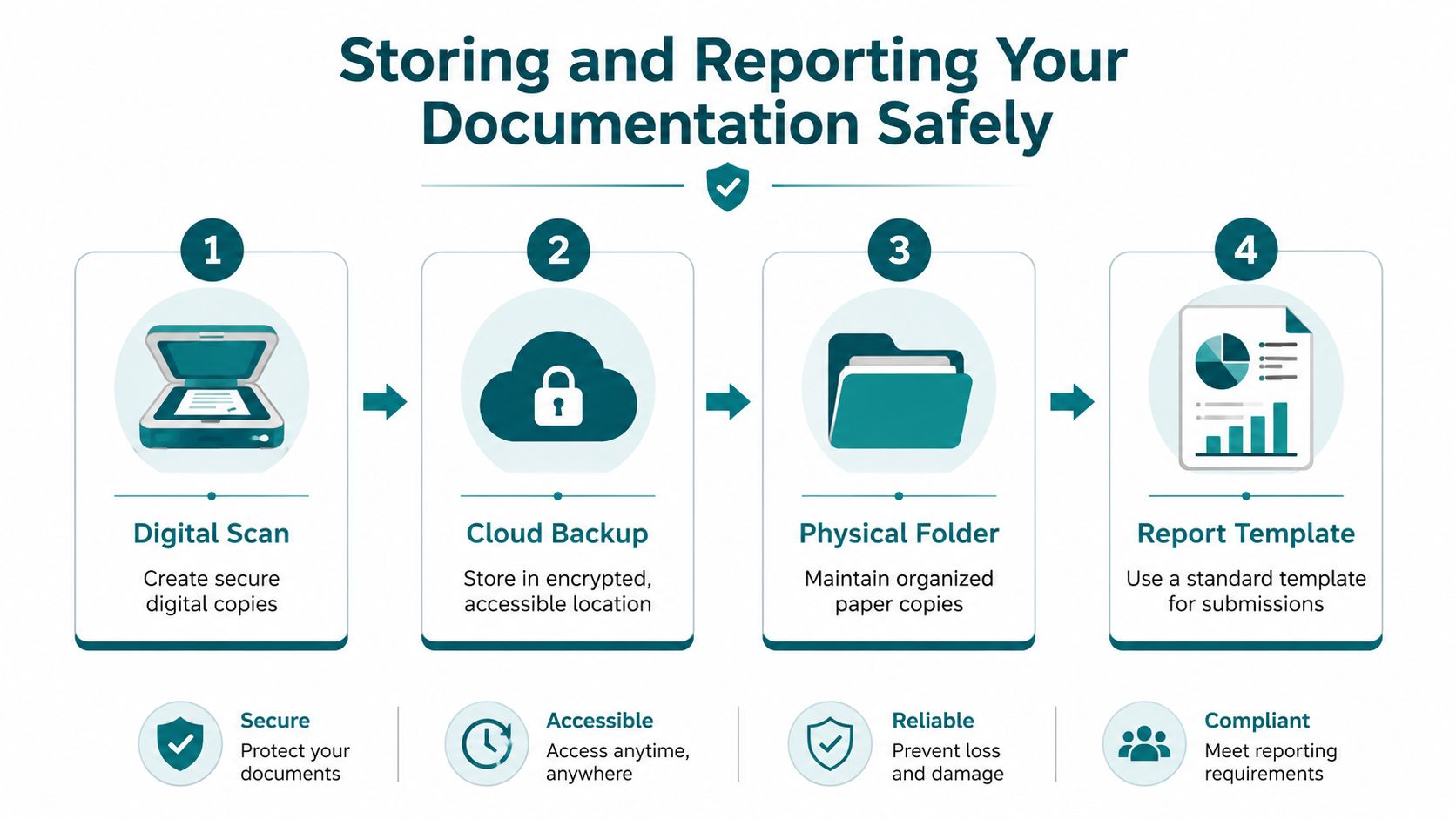
Use four connected steps
Define the record. Decide which documents apply to each role before recruitment. A cleanup helper may need an agreement, safety acknowledgment, attendance record, and hours log. A driver may need additional vehicle or mileage details.
Record participation. Enter dates, tasks, hours, and outputs during or immediately after each shift. Don't wait for an annual report.
Collect and store. Scan signed forms, use clear filenames, and restrict access to people who need it. Keep paper copies in an organized folder when the organization still relies on physical records.
Report the service. Use one template for recurring reports, then check totals against the daily log before submission.
An accomplishment report can include the date, project or position, number of individuals, total hours served, miles driven in private vehicles, age and gender data, racial or ethnic data, and cost data, according to the same federal guide. Those fields turn scattered shifts into information a program can review and summarize.
A small group doesn't need a maze of folders. Create one folder per volunteer, one subfolder per project, and a standard file name that includes the volunteer name, project, and date. For teams preparing grant submissions, streamlining hours for funders can help frame time records as report-ready data.
The federal guidance also recommends closing the file after service ends, then retaining it for the stated period. Keep a simple closure note with the last service date, final approval, and location of the archived records.
Mistakes That Get Your Hours Rejected and How to Avoid Them
The paperwork that looks most official can still fail. I have seen volunteers carry a thick packet while missing the one signature a reviewer needed.
Avoid paperwork without a purpose
Over-documentation creates friction when volunteers can't tell which forms apply to their role. It also creates more chances for someone to lose a page, use an outdated version, or skip a field. Assign documents by role, explain them before the first shift, and remove anything that doesn't support safety, verification, reporting, or legal requirements.
An agreement that expires or describes an old role can create trouble later. Review the role description when duties change, and set reminders for renewals or expiration dates. A controlled digital folder helps the coordinator find the current version instead of sending volunteers several conflicting files.
Capture details before memory fades
The federal volunteer guidance recommends a complete file with the agreement, application, relevant checks, training records, a running hours and accomplishments log, and a closing record. It also identifies outdated agreements, missing service details, and inconsistent fields as avoidable administrative failures. (Read the participation documentation guidance)
Use a short end-of-shift routine:
- Write the entry: Add the date, time, task, and total hours.
- Confirm the approval: Ask the supervisor to initial or sign.
- Save the file: Scan or upload the record before leaving.
- Check the role: Confirm that the forms match the work performed.
Our group, Litter Caterpillars, records cleanup events through photos and stories, while a formal hours log carries the verification burden. Keep evidence proportional to the role. A photo can show a transformed park, but a signed record proves who worked, when they worked, and how long they stayed.
If you want to put your records into practice, visit Litter Caterpillars to find Chicago cleanup events, meet a volunteer group that works through rain and cold, and build service history you can document as you go. Bring a phone for your log, ask for supervisor approval before you leave, and let the work speak through records that another person can verify.